


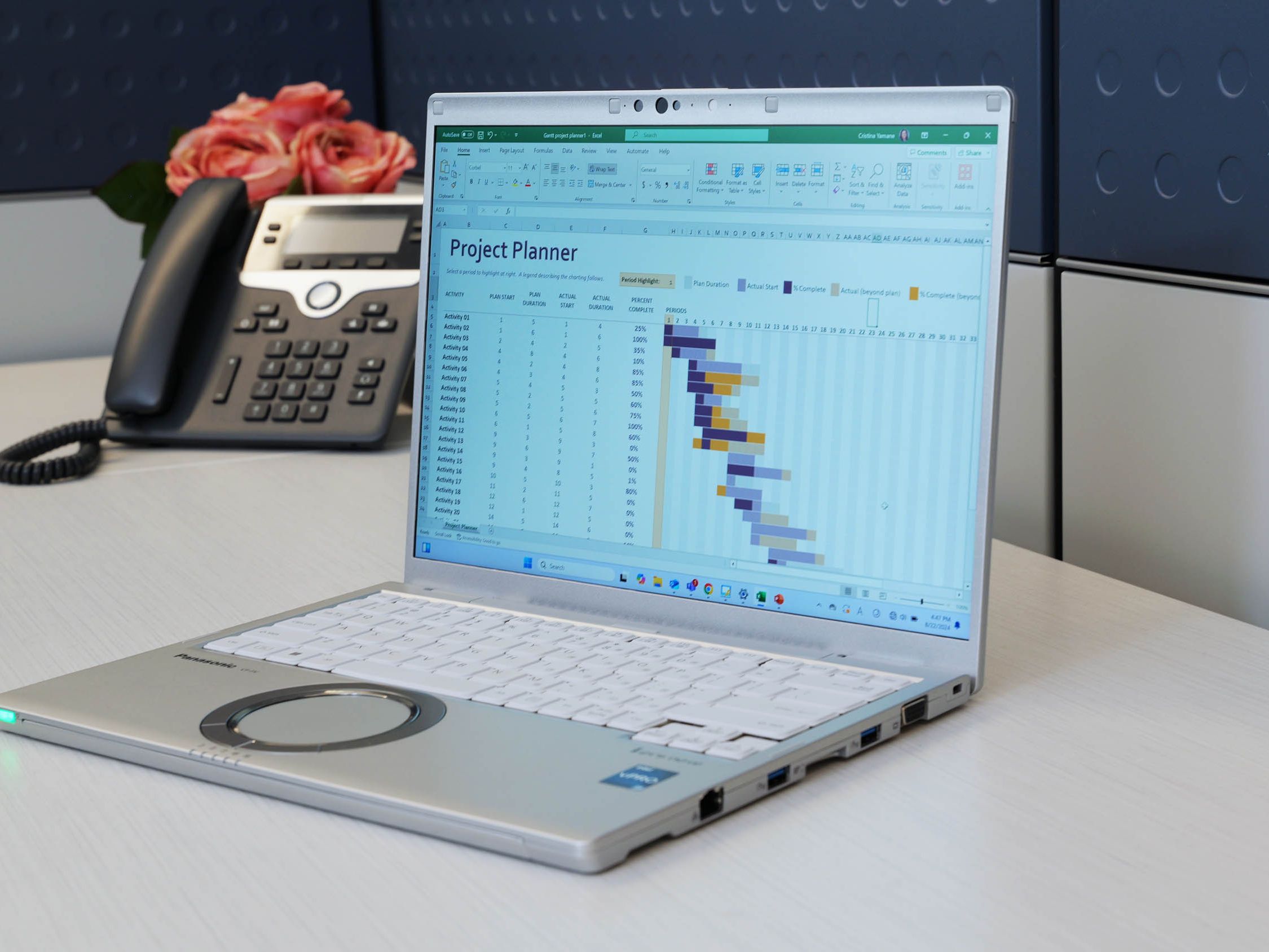
Panasonic Let’s Note FV4: A Practical Laptop for Mobile Professionals
Professionals who regularly move between offices, client sites, meeting rooms, and remote workspaces need more than basic computing power. They need a portable computer that can handle demanding business applications without becoming difficult to carry. The Panasonic Let’s Note FV4 combines a 14-inch display with business-focused hardware, making it a strong candidate for users who need productivity and mobility in one device.
Performance for Demanding Business Tasks
The CF-FV4SDHMBM configuration includes a 13th-generation Intel Core i7-1370P processor with Intel vPro technology. This processor is intended for professional workloads that may extend beyond email, document editing, and web browsing.
Users can run spreadsheets, database tools, communication platforms, business dashboards, presentation software, and multiple browser-based systems during the same work session. The processor’s combination of performance and power-conscious cores helps the computer manage changing workloads while controlling energy use.
The model also includes 32 GB of RAM. This amount of memory is useful for professionals who frequently switch among numerous applications or work with large files. It can reduce slowdowns when running virtual meetings, analyzing data, editing presentations, and accessing cloud platforms simultaneously.
A 512 GB solid-state drive provides space for business documents, media files, applications, and offline records. Solid-state storage also supports quick startup and file access while avoiding the moving components found in traditional hard drives.
A 14-Inch QHD Display for Daily Productivity
Screen size affects both portability and the amount of information a user can view. A small display may be convenient for travel but restrictive when working with spreadsheets, reports, or side-by-side windows. A much larger screen can add weight and occupy more space in a travel bag.
The FV4 uses a 14-inch QHD display with a resolution of 2160 × 1440. Its 3:2 screen format provides more vertical viewing room than the wider formats found on many laptops. This can be useful when reading lengthy documents, reviewing web pages, working through spreadsheets, or editing business reports.
Higher resolution also helps text and graphics appear clear. Professionals who spend hours reading detailed material may appreciate the additional screen definition, although display scaling may need to be adjusted according to personal preference.
Designed for Work on the Move
Mobile workers must consider much more than processor speed. A laptop may travel through airports, hotels, offices, vehicles, conference rooms, and temporary work areas in a single week. Its physical design must therefore support repeated setup, packing, and transportation.
The Let’s Note series is known for placing a strong emphasis on portability and business use. The FV4’s 14-inch format provides a balance between usable screen space and travel convenience. It is well suited to professionals who want a full notebook experience without carrying a large workstation-class computer.
The listed configuration provides up to 10 hours of battery runtime. Actual battery duration can vary according to screen brightness, wireless activity, applications, battery age, and power settings. Buyers should assess expected work hours and charging access rather than relying solely on the published maximum.
Connectivity for Modern Workplaces
Reliable wireless connectivity is essential for employees who work across several locations. The FV4 supports the IEEE 802.11ax wireless standard, commonly known as Wi-Fi 6. This can support stable connections in offices, hotels, shared workspaces, and other areas with many connected devices, provided the available network uses compatible equipment.
Before purchasing any business laptop, organizations should also examine the physical ports included in the exact configuration. Employees may need connections for external displays, projectors, storage devices, wired networks, headsets, printers, or specialized workplace equipment.
Port compatibility is particularly important for organizations that already own docking stations, monitors, and other peripherals. Confirming these requirements before deployment can prevent teams from depending on multiple adapters.
Business Security and Device Management
Intel vPro technology is a notable consideration for organizations that manage computers across departments or locations. Depending on the organization’s software and IT setup, vPro features can assist with security, remote management, and device maintenance.
The FV4 configuration also includes Windows 11 Pro. Compared with consumer-focused operating system editions, Windows 11 Pro provides features intended for workplace security, administration, and network access.
For government agencies, contractors, and organizations following federal procurement requirements, the listed model is TAA compliant. Buyers should still confirm that the exact model number and configuration meet their organization’s purchasing rules before placing an order.
Who Should Consider the FV4?
The Panasonic Let’s Note FV4 may suit consultants, sales representatives, managers, engineers, government employees, healthcare administrators, and other professionals who travel regularly but need substantial computing power.
Its memory capacity and Core i7 processor can support users who run several workplace applications at once. The 3:2 QHD display may appeal to people who work extensively with documents, reports, websites, and spreadsheets. Its business operating system and TAA-compliant status may also make it suitable for organizational purchasing.
However, the correct laptop always depends on the work environment. Buyers should confirm software requirements, port needs, battery expectations, warranty coverage, repair support, and any exposure to dust, moisture, vibration, or impact. Jobs involving severe physical conditions may require a fully rugged Toughbook rather than a business mobility model.
For pricing, configuration details, availability, or help comparing the FV4 with other Panasonic computers, visit Tough Rugged Laptops and speak with its team about the model that best fits your organization’s daily workload and operating environment.
