


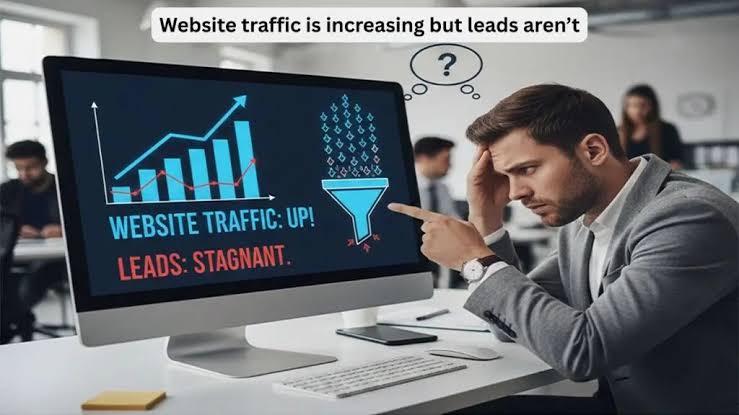
When a website is not producing enough leads or sales, the instinctive solution is often to attract more visitors.
Increase the advertising budget. Publish more content. Improve search rankings. Post more frequently. Generate more clicks.
That approach makes sense only if the website is prepared to convert the people who arrive.
Sending more traffic to an unclear, untrustworthy, or difficult-to-use website rarely solves the underlying problem. It usually makes the problem more expensive.
Before investing heavily in traffic growth, businesses should determine whether their websites are conversion-ready.
What Is Conversion Readiness?
Conversion readiness is the degree to which a website is prepared to help an appropriate visitor understand an offer, develop confidence, and take the next logical action.
That action might be:
- Making a phone call
- Submitting a form
- Requesting an estimate
- Scheduling an appointment
- Purchasing a product
- Starting a trial
- Registering for an event
- Downloading a resource
- Joining an email list
- Visiting a physical location
Conversion readiness does not mean every visitor will take action. Many visitors are researching, comparing, looking for employment, checking existing account information, or seeking something the business does not provide.
The objective is to make conversion clear and practical for visitors who are appropriate for the offer.
More Traffic Magnifies Existing Problems
Traffic growth acts as a multiplier.
If the website communicates clearly, builds trust, and offers a smooth conversion path, more qualified visitors can create more opportunities.
If the website has serious weaknesses, more traffic exposes more people to those weaknesses.
Consider a simplified example:
Monthly VisitorsConversion RateConversions1,0001%102,0001%201,0002%202,0002%40
These numbers are hypothetical, but the principle is useful.
Doubling traffic can increase conversions if the traffic quality and conversion rate remain stable. Improving the conversion rate can also increase results without requiring additional traffic.
In practice, neither rate remains perfectly stable. New traffic may come from different audiences, campaigns, devices, locations, or stages of intent.
The point is not that conversion optimization always replaces traffic growth. It is that businesses should understand the current conversion experience before paying to expand it.
The Offer Must Be Immediately Understandable
Visitors should not have to investigate the website like an archaeological site to determine what the company does.
The primary pages should clearly communicate:
- What is being offered
- Who it is for
- Which problem it addresses
- Where it is available
- Why the company may be qualified
- What the visitor should do next
Generic messaging weakens conversion readiness.
Statements such as these provide little differentiation:
- We provide quality solutions.
- Customer service is our priority.
- We exceed expectations.
- We are committed to excellence.
- Your satisfaction matters.
Most businesses would agree with these statements. Few customers can use them to make a decision.
Stronger messaging explains the actual offer and the specific reasons it may be appropriate for the customer.
Traffic and Landing-Page Intent Must Match
A website can be well designed and still fail to convert if the visitor arrives on the wrong page.
A person searching for emergency water removal should not land on a general article about home maintenance. Someone clicking an advertisement for commercial insurance should not reach a homepage primarily written for individual consumers.
The page should match the expectation created by the search result, advertisement, social post, email, or referral source.
This is called message match.
Strong message match means the visitor quickly sees:
- The same service or product they expected
- Information relevant to their need
- Language consistent with the original message
- An appropriate next step
- Evidence connected to the specific offer
When the source promises one thing and the page presents another, visitors must work to understand the relationship. Many will not bother.
Different Visitors Need Different Conversion Paths
Not every visitor is ready to purchase.
A website should support several stages of the decision process without presenting twenty competing calls to action on every screen.
Early-Stage Visitors
These visitors may need:
- Educational articles
- Introductory guides
- Definitions
- Checklists
- Email resources
- Videos
Comparison-Stage Visitors
These visitors may need:
- Service comparisons
- Pricing factors
- Case studies
- Customer reviews
- Process explanations
- Frequently asked questions
Decision-Stage Visitors
These visitors may need:
- Contact information
- Appointment scheduling
- Estimate requests
- Product details
- Availability
- Clear service areas
- Purchase or registration options
Conversion readiness means providing the right next step for the visitor’s likely stage.
Trying to force every informational visitor into an immediate sales conversation can create friction. Failing to offer a direct action to decision-stage visitors can lose ready opportunities.
Trust Must Be Established Before Action
Visitors often hesitate because they do not know whether the business is legitimate, qualified, or appropriate for their situation.
Trust is especially important when the purchase involves:
- High costs
- Personal information
- Health decisions
- Financial decisions
- Legal matters
- Access to a home or property
- Long-term contracts
- Business-critical services
- Safety concerns
Trust signals may include:
- Accurate company information
- Real team biographies
- Relevant experience
- Professional credentials
- Authentic reviews
- Case studies
- Transparent policies
- Clear contact details
- Physical location information where applicable
- Secure website functionality
- Recognized memberships
- Independent media coverage
- Documented customer examples
- Realistic claims
Trust signals should be relevant and verifiable.
A row of unexplained badges does not necessarily create confidence. Neither does a stock photo of five people pointing enthusiastically at the same laptop.
Customers want evidence that reduces uncertainty.
Reviews Should Support the Specific Decision
Displaying a review score can be helpful, but detailed reviews often contribute more persuasive information.
A strong review may explain:
- Which service the customer purchased
- What problem needed to be solved
- How the company communicated
- Whether the process matched expectations
- How complications were handled
- What the customer valued
Reviews should be placed where they support the visitor’s decision.
A service page about basement remodeling becomes more credible when it includes relevant remodeling feedback. A software page becomes more useful when reviews discuss onboarding, support, or the feature being evaluated.
Generic testimonials on a separate page may receive little attention because visitors must leave the decision path to find them.
Calls to Action Should Be Specific
A call to action tells the visitor what to do next.
Common examples include:
- Request an estimate
- Schedule a consultation
- Call for availability
- Book an inspection
- Start a free trial
- Compare plans
- Download the checklist
- View current inventory
- Ask a question
“Submit” is technically a call to action, but it does not explain what will happen.
A stronger call to action sets an expectation.
For example:
- Request a written project estimate
- Schedule a 20-minute introductory call
- Check appointment availability
- Download the homebuyer inspection checklist
The wording should match the action and avoid promising outcomes the business cannot guarantee.
Forms Should Ask Only What Is Necessary
Long forms create friction, especially on mobile devices.
Businesses often add fields because the information would be convenient for internal staff. The visitor experiences each field as another decision, another privacy concern, or another opportunity for the form to malfunction.
The appropriate form length depends on the offer.
An emergency-service request may require only:
- Name
- Phone number
- Location
- Brief problem description
A complex commercial consultation may reasonably require:
- Company name
- Contact information
- Service needed
- Budget range
- Timeline
- Project details
The business should balance convenience, qualification, and customer effort.
Forms should also be tested regularly. A beautiful marketing campaign becomes less impressive when its form sends every inquiry into an unmonitored inbox or displays an error on common mobile devices.
Phone Calls Must Be Easy to Complete
For many local and service businesses, phone calls remain a primary conversion method.
A conversion-ready website should make phone contact practical.
That may include:
- A visible phone number
- Click-to-call functionality on mobile devices
- Accurate business hours
- Clear expectations for after-hours calls
- Appropriate call routing
- Voicemail that identifies the company
- Prompt follow-up for missed calls
Website optimization cannot compensate for a phone process that regularly loses customers.
Businesses should test the experience themselves. Call the displayed number. Use the mobile button. Leave a voicemail. Confirm that the message reaches the right person.
Basic operational testing can reveal more than another hour spent debating button colors.
Mobile Usability Is Part of Conversion Readiness
Many visitors will encounter the website on a phone.
A page may look professional on a large office monitor while becoming difficult to use on a smaller screen.
Mobile conversion problems can include:
- Text that is too small
- Buttons that are difficult to tap
- Forms that require excessive typing
- Menus that cover the page
- Pop-ups that are hard to close
- Images that slow the experience
- Phone numbers that cannot be tapped
- Layouts that shift during loading
- Important information buried far down the page
- Checkout processes that require repeated zooming
Businesses should test important pages on several real devices and browsers.
The objective is not merely to make the page technically responsive. It is to ensure that a customer can complete the intended action without frustration.
Website Performance Affects the Experience
Visitors expect pages to load and function reliably.
Performance problems can interrupt conversion through:
- Slow loading
- Broken scripts
- Missing images
- Form errors
- Checkout failures
- Unstable layouts
- Security warnings
- Broken navigation
- Server errors
Performance improvements should focus on the pages and elements that matter most to customers.
A technically perfect score is not the business goal. A dependable and usable experience is.
The most important questions are:
- Can visitors access the page?
- Can they understand the content?
- Can they use the navigation?
- Can they complete the form?
- Can they make the purchase?
- Can the business receive and process the inquiry?
Technical optimization should serve those outcomes.
Service and Product Information Must Reduce Uncertainty
Visitors often leave because the website does not answer basic purchasing questions.
Depending on the business, customers may want to know:
- What is included?
- What does it cost?
- Which factors affect price?
- How long does the process take?
- What areas are served?
- Is the service appropriate for my situation?
- What happens after I contact the company?
- Are financing or payment options available?
- What are the limitations?
- What should I prepare?
- How does this compare with an alternative?
A business may not be able to publish fixed pricing for every service. It can often explain the factors that influence cost and what customers should expect from the estimate process.
Hiding all useful information behind a sales call can reduce trust, particularly when competitors provide clearer guidance.
The Website Must Qualify as Well as Convert
Generating more inquiries is not useful if most of them are poor fits.
A conversion-ready website helps appropriate customers take action while setting realistic expectations for others.
Qualification information may include:
- Service areas
- Minimum project sizes
- Industries served
- Product requirements
- Typical timelines
- Budget expectations
- Eligibility criteria
- Services not provided
- Customer responsibilities
- Appropriate use cases
This information can reduce irrelevant inquiries and help sales teams spend more time on viable opportunities.
Conversion optimization should not be reduced to increasing form submissions at any cost. The objective is to improve meaningful conversions.
Tracking Should Work Before Traffic Increases
Businesses should establish measurement before expanding campaigns.
Otherwise, they may generate more activity without understanding what produced it.
A basic measurement setup may include:
- Website analytics
- Form tracking
- Call tracking
- Appointment tracking
- Ecommerce tracking
- Campaign tagging
- Search reporting
- CRM lead-source fields
- Sales-outcome tracking
- Revenue attribution where practical
Tracking should be tested.
Submit the form. Call the number. Complete a test purchase if appropriate. Confirm that analytics, notifications, and CRM records work as expected.
An experienced SEO consultant can help evaluate whether traffic opportunities, search intent, landing pages, tracking, and conversion paths are working together rather than treating rankings as an isolated objective.
The business should know what it plans to measure before creating more traffic to measure.
Lead Follow-Up Is Part of Conversion Readiness
Website conversion does not end when a form is submitted.
The business must respond.
A lead can be lost through:
- Slow replies
- Missed calls
- Unmonitored inboxes
- Unclear ownership
- Inconsistent qualification
- No follow-up schedule
- Poor appointment availability
- Confusing proposals
- Failure to record outcomes
The website may perform exactly as intended while the operational process loses the opportunity.
Businesses should define:
- Who receives each type of inquiry
- How quickly the lead should be contacted
- What information should be recorded
- How leads are qualified
- How many follow-up attempts are appropriate
- When opportunities are marked won or lost
- How sales outcomes return to marketing reports
Conversion readiness includes the people and systems behind the website.
Test the Complete Customer Journey
Businesses often review individual pages without testing the full experience.
A more useful evaluation follows the visitor from discovery through follow-up.
For example:
- Search for the service.
- Review the search result or advertisement.
- Open the landing page.
- Read the offer.
- Look for credibility.
- Use the navigation.
- Complete the conversion action.
- Review the confirmation message.
- Confirm that the business receives the inquiry.
- Evaluate the response process.
This journey should be tested on desktop and mobile devices.
Ask employees who are not involved in marketing to complete the process. If possible, gather feedback from customers or qualified test users.
People unfamiliar with the website often notice assumptions the internal team stopped seeing years ago.
Use Existing Traffic as Diagnostic Data
A website does not need massive traffic to reveal conversion problems.
Existing visitor behavior can provide useful clues.
Review:
- High-traffic pages with few actions
- Pages where visitors frequently exit
- Form abandonment
- Mobile versus desktop behavior
- Calls by landing page
- Navigation paths
- Search terms
- Customer questions
- Sales objections
- Support requests
- Lead quality by page or campaign
These signals do not always explain why something happened. They identify where closer investigation may be needed.
For example, a high exit rate is not automatically a problem. A visitor may have found the answer and left satisfied. On a decision-stage landing page, however, a high exit rate combined with few conversions may warrant review.
Context matters.
Common Conversion-Readiness Mistakes
Several mistakes can weaken a website before traffic growth begins.
Sending Every Campaign to the Homepage
The homepage may not address the specific offer or intent behind the visit.
Using Generic Messaging
Visitors cannot determine why the business is relevant to their needs.
Hiding Important Information
Customers must contact the company to learn even the most basic details.
Adding Too Many Calls to Action
Visitors receive several competing instructions without a clear priority.
Optimizing Only for More Form Submissions
Lead quality, sales outcomes, and revenue are ignored.
Neglecting Mobile Testing
The website appears acceptable on desktop but becomes frustrating on a phone.
Assuming Tracking Works
Forms, calls, and purchases are never tested from start to finish.
Ignoring Sales Follow-Up
Marketing receives blame for leads that were never contacted appropriately.
Redesigning Based Only on Preference
Changes reflect internal opinions rather than customer needs and performance evidence.
Conversion readiness requires coordination among marketing, website development, sales, and operations.
A Pre-Traffic Conversion Audit
Before increasing traffic, businesses should review the following areas.
Offer Clarity
- Can visitors quickly understand what is offered?
- Is the intended customer clear?
- Does the page explain the problem being addressed?
Message Match
- Does the landing page match the search result, advertisement, or referral message?
- Is the visitor taken to the most relevant page?
Trust
- Are company information, reviews, experience, and policies easy to verify?
- Are important claims supported?
Usability
- Does the page work on common mobile devices?
- Are navigation, buttons, forms, and phone links functional?
Information
- Are common customer questions answered?
- Are cost, process, timing, and limitations addressed appropriately?
Conversion Path
- Is the next action obvious?
- Does the call to action match the visitor’s stage?
Qualification
- Does the page set appropriate expectations?
- Can unsuitable inquiries be reduced without discouraging good prospects?
Tracking
- Are calls, forms, purchases, and appointments measured?
- Does lead-source information reach the CRM?
Follow-Up
- Is someone responsible for each inquiry?
- Are response and follow-up procedures documented?
Business Capacity
- Can the company handle additional demand?
- Are staffing, scheduling, inventory, and fulfillment prepared?
Traffic growth should be delayed when critical failures in these areas would waste substantial budget or create a poor customer experience.
When Is the Website Ready for More Traffic?
No website is perfect, and waiting for perfection can become its own form of procrastination.
A website is reasonably ready to scale traffic when:
- The offer is clear.
- Priority landing pages match customer intent.
- Important trust information is present.
- Calls and forms work.
- Mobile visitors can complete actions.
- Tracking records meaningful conversions.
- Lead sources reach the CRM.
- Sales follow-up is operational.
- The business can fulfill additional demand.
- Existing data provides a baseline for comparison.
The company can then increase traffic gradually, monitor performance, and improve the experience using real results.
Scaling in controlled stages reduces risk and makes problems easier to identify.
Fix the Path Before Adding More People
Traffic is essential to digital growth. Businesses need visibility before customers can discover them.
But traffic is only one part of the system.
If visitors arrive and encounter unclear messaging, weak evidence, broken forms, poor mobile usability, or slow follow-up, increasing traffic sends more potential customers into the same failed experience.
Conversion readiness ensures that the website is prepared to make use of the attention the business is working to earn.
Before asking how to attract more visitors, ask whether the right visitors can understand the offer, trust the company, complete the next step, and receive an appropriate response.
Fix that path first. Then increase the traffic.
